Compare home laptops by tasks, compatibility and complete cost
Build a home laptop shortlist around software requirements, usable ports, display and input comfort, support, accessories and the cost of the whole setup.
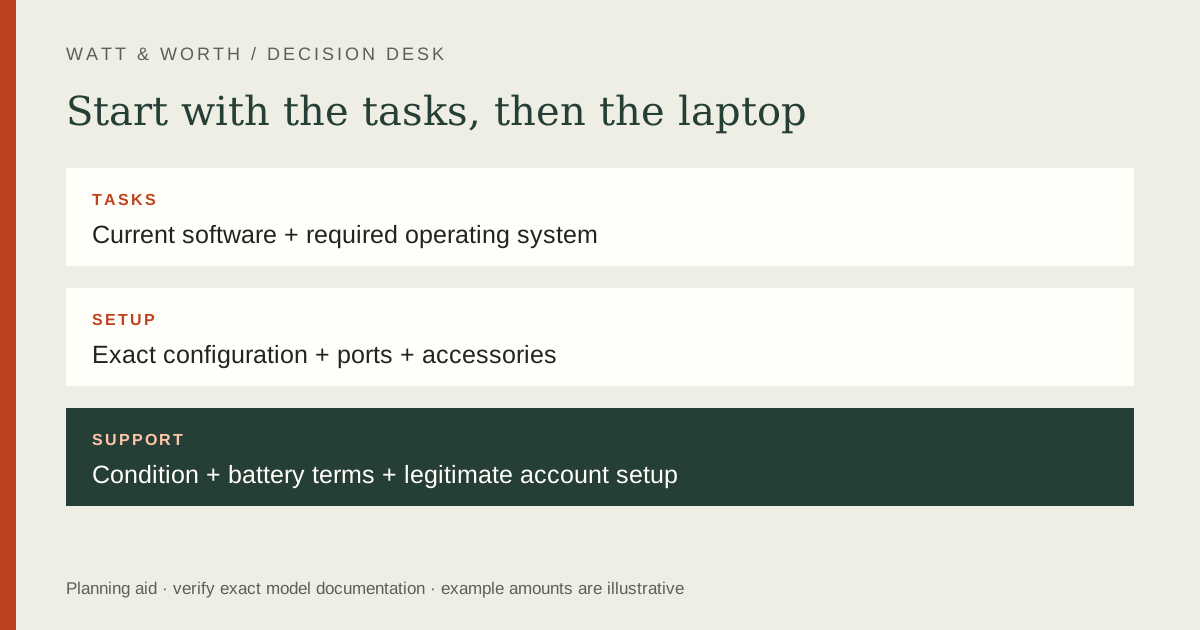
Compare home laptops by the software and tasks they must support, then check comfort, connections and the cost of the complete setup. A processor name or memory figure alone cannot establish the best choice. Start with the applications, peripherals and household users, and verify compatibility against current official requirements before buying a new or refurbished machine.
List the work before the specifications
Write down the applications and activities you actually use: browser-based work, video calls, school software, photo editing or a specific game. Record the publisher's current system requirements for each important application. Separate minimum compatibility from the performance you expect in normal use.
If an employer or school controls access, ask about its device and security requirements. A personal preference for an operating system is secondary if the required software or management tools do not support it. Do not assume a web version has all the features of a desktop application.
For refurbished hardware, verify the exact processor model and supported operating system rather than accepting “fast laptop” as a specification. Microsoft's official Windows requirements are a useful compatibility reference for that platform. This guide does not recommend bypassing hardware or security requirements.
Compare the complete usable configuration
| Area | Record | Practical test |
|---|---|---|
| Software | Required applications and OS | Can the official supported version run? |
| Memory and storage | Exact configuration and upgrade policy | Is capacity adequate for your files and tasks? |
| Display | Size, finish and documented specifications | Is text comfortable in your room? |
| Input | Keyboard, pointer and accessibility options | Can every regular user work comfortably? |
| Connections | Exact port functions and peripherals | Can the whole desk connect at once? |
Do not assume ports with the same physical shape have identical capabilities. Check the manufacturer's documentation for display output, charging and data functions. If a dock is needed, verify the laptop, dock, display and charger together rather than treating each listing independently.
Inspect whether memory or storage is upgradeable and who may perform the work under the applicable terms. An upgrade path that is technically possible may still be inconvenient or costly. Include the configuration you intend to buy, not a cheaper base configuration used in advertising.
Budget the home setup
Add the laptop, tax, required charger, adapters, dock, external display, software and any necessary subscription. Some accessories may already be owned, but confirm compatibility before assigning them zero additional cost. Separate optional conveniences from items required for the intended task.
Illustrative setup: a $650 laptop plus an $80 adapter and $70 required software totals $800 before any unquoted tax. A $760 alternative with the needed connections and included compatible software could cost less overall. These figures are a worksheet example, not offers or a claim about typical prices.
For recurring software costs, choose a comparison period and calculate the total. An illustrative $6 monthly service costs $72 per year and $216 over three years, assuming an unchanged price. Do not imply a subscription will remain at today's rate; keep that assumption visible.
Check condition, power and support
For a portable device, battery condition affects usefulness. Ask how condition was assessed and what the seller guarantees. A photograph of a charge indicator is not a capacity test. If the battery is replaceable through service, find the actual service route and written terms before relying on a future replacement.
Verify the charger is appropriate for the exact configuration and supplied through a trustworthy route. Ask about included accessories, cosmetic condition, storage condition and any account or management locks on refurbished equipment. Do not accept a device that cannot be legitimately set up for your use.
Read the support and warranty terms. Identify whether the seller, manufacturer or refurbisher handles problems, whether coverage transfers and what return process applies after setup. Save the listing and serial identity. Avoid invented reliability rankings based on a small collection of customer comments.
Test the decision against your real routine
Try the keyboard and screen if possible. Check video-call controls, display scaling and the accessibility features you need. A machine with appealing specifications can still be uncomfortable for long sessions. Household sharing may also require separate user accounts and sufficient storage.
If home network performance is the real bottleneck, a more expensive laptop may not solve it. Identify whether the problem follows the device, room, connection or service. Do not buy around a guessed cause without a basic comparison using your current equipment.
Write a final compatibility sentence for each essential task: which software, which version, which official requirement and which purchased configuration. Leave uncertain items unresolved until the publisher or manufacturer confirms them. A clear supported setup is more useful than a speculative future-proofing claim.
A final practical check
Check the return process for a configured or personalized order before making changes. If you need to migrate files, plan a verified backup and keep the old device available until the new setup works, unless a trade-in agreement requires a different sequence. Do not assume all applications or licenses transfer automatically. Review the software publisher terms and preserve your own account access. A successful purchase includes a workable transition, not just hardware that powers on.
Frequently asked questions
Should I buy the highest specifications I can afford?
Buy enough capability for the tasks and period you can reasonably plan. Extra specifications have value only if you will use them or have a defensible requirement. They do not guarantee compatibility indefinitely.
Is refurbished automatically better value?
Condition, support, battery, accessories and return terms determine the comparison. Compare the complete supported setup against a new alternative rather than the headline prices alone.
Which guides should accompany this worksheet?
Follow the purchase plan, connected-device support guide and ownership-cost guide. Use electricity arithmetic if running cost matters.
Sources
- Microsoft Windows 11 system requirements — current official compatibility requirements for Windows devices.
- FTC warranties — written coverage and records.